
AI Agents for Small Business: 2026 Guide Under $500/Month
 Petric Manurung·29 March 2026·17 min read
Table of Contents
Introduction: Why AI Agents Are a Game-Changer for Small Businesses
If you run a small business in Singapore, you’ve likely heard the buzz about AI agents. But what does that actually mean for your daily operations? It’s a shift from the reactive chatbots you might be used to, to systems that can set goals, figure out steps, use tools, and complete tasks autonomously. This is the core of what Agentic AI is—proactive assistants that don’t just answer questions, but get things done.
For a small business owner, this translates to tangible automation. Imagine a system that can set goals, figure out steps, use tools, and complete tasks autonomously without you having to micromanage every step. The value is clear: a recent 2026 analysis shows deployments can deliver a 171% ROI by freeing your team from repetitive work. The question isn’t if this technology is useful, but how you can realistically access it without a massive budget.
That’s the gap we’re addressing. You might assume implementing such a system requires a five-figure investment, but that’s not the case. It’s entirely possible to get started with capable AI agents for under $500 a month. This approach lets you test the waters, automate key pain points, and prove the value before scaling further.

In the following sections, we’ll break down exactly how. You’ll learn what tools and platforms make this budget work, which business functions to automate first for maximum impact, and how to integrate these agents smoothly into your existing workflow. Think of it as a practical, step-by-step guide to moving from manual processes to a more efficient, automated operation.
AI Agents What Is It: Core Concepts and Practical Applications
So, you’re convinced AI agents could be a game-changer for your small business. But what exactly are you signing up for? Let’s move past the buzzwords and break down what agentic AI actually is and, more importantly, how you can start using it without breaking the bank.
At its core, agentic AI is a technology that enables AI systems to autonomously set goals, plan steps, use tools, and complete tasks without constant human intervention. Think of it as a smart, proactive employee rather than a simple tool. A traditional automation might be a rule that says, “When a new order comes in, send a confirmation email.” An AI agent, however, could see that order, check inventory, update your CRM, generate a shipping label, and then notify your warehouse team—all while deciding the best sequence of actions on its own.
The catch is, for this “employee” to work effectively, you need to give it clear instructions and the right materials. You wouldn’t hire a human and just point them at a messy desk, right? The same logic applies here. Before you dive into full automation, there are two critical preparation steps.
First, you need to focus on your data. Recent guidance for small businesses emphasizes that cleaning and organizing your data is a foundational step. If your customer lists are full of duplicates or your sales records are inconsistent, the AI will make decisions based on that flawed information, leading to errors. Start by consolidating spreadsheets, standardizing how you enter information (like dates and product codes), and removing outdated records.
Second, you have to document how things actually get done. This might feel tedious, but it’s non-negotiable. AI cannot follow a process that exists only in your head or your team’s tribal knowledge. You need to document your workflows clearly before automating. Map out the steps for common tasks: What happens from the moment a lead fills out your website form to when they receive an invoice? Write it down, step-by-step. This clarity doesn’t just help the AI; it often reveals inefficiencies you can fix manually first.
Start with Stepping-Stone Tools
You don’t need to leap directly into complex AI systems. A practical, low-cost way to build your automation muscles is by using integration platforms like Zapier or Make. These tools act as perfect stepping stones for practicing multi-step automations. They use a visual, drag-and-drop interface to connect your apps.
For example, you can set up a “Zap” that automatically adds new Shopify customers to a Google Sheets contact list and then sends a welcome email via Mailchimp. It’s a simple, multi-step process that teaches you the logic of automation without any coding. Mastering these tools builds the mindset you’ll need for more advanced AI agents and solves real problems today for often less than $50 a month.
Practical Applications That Save Money Now
Let’s translate this into specific, budget-friendly use cases. The most immediate application for many small businesses is supercharging customer support.
An AI chatbot on your website can do much more than just give canned replies. A well-configured agent can handle FAQs, guide users through processes, and intelligently escalate only the most complex issues to a human. This means your team isn’t bogged down answering the same “What are your opening hours?” questions repeatedly. The AI handles the routine, freeing up your staff for high-value conversations that actually drive sales and loyalty. You can implement a capable chatbot solution for well under $100 a month.
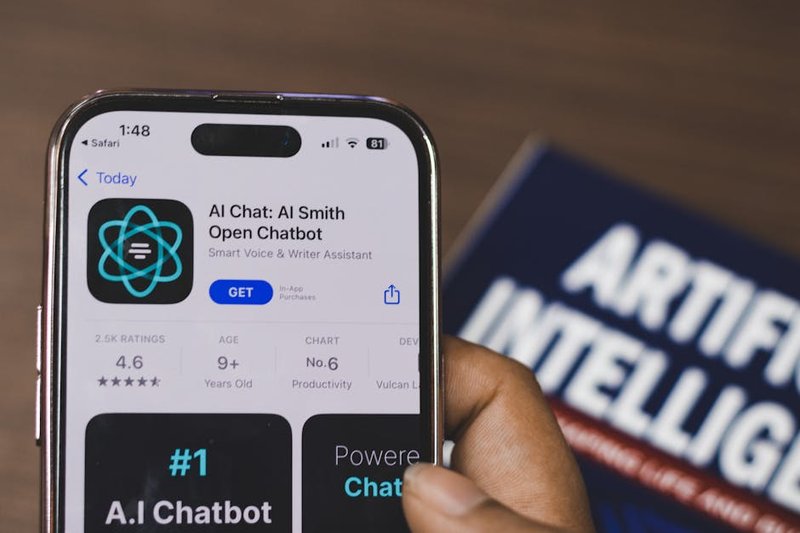
The real power, however, comes from integration. This is where AI agents move from being a cool gadget to a central nervous system for your business. Think about your existing stack:
| Business Function | Common Tool | AI Agent Integration Example |
| Sales & CRM | HubSpot, Salesforce | Agent qualifies leads from your website, logs interactions, and schedules follow-up tasks for your sales team. |
| Finance | QuickBooks, Xero | Agent extracts data from receipts, categorizes expenses, and prepares monthly financial reports. |
| E-commerce | Shopify, WooCommerce | Agent manages low-stock alerts, coordinates with suppliers, and updates product descriptions based on sales data. |
An AI agent can act as the glue between these disconnected tools. Instead of you logging into QuickBooks to manually enter an invoice from Shopify, the agent sees the completed order, creates the invoice, and reconciles the payment—all autonomously. This seamless flow is what turns time-consuming manual work into background efficiency.
Getting started doesn’t require a massive upfront investment. You can begin by identifying one repetitive, rule-based task that eats up hours each week. Document it, ensure the data involved is clean, and explore if a tool like Zapier can automate it first. This practical, step-by-step approach demystifies the technology and delivers quick wins.
How to Set Up Your First AI Agent in Under 2 Hours for Under $500/Month
Now that you understand what AI agents are and what they can do, you’re probably wondering about the practicalities. How do you actually get one running in your business without a massive budget or a team of developers? The good news is you can set up a functional, basic AI agent in an afternoon for less than $500 a month. Let’s walk through how.
The No-Code Afternoon Setup
You don’t need to write a single line of code to start automating tasks. The key is to think of your first AI agent as a sophisticated, automated workflow. Tools like Zapier are perfect for this. They let you connect your existing apps—like your Gmail, Google Sheets, and Slack—to create “if this, then that” rules that act on information.
For example, you could set up an agent that: 1. Monitors a specific email inbox for customer inquiries. 2. Uses an AI step within Zapier (powered by OpenAI) to draft a friendly, context-aware reply. 3. Sends that draft to a designated Slack channel for your team to review and send with one click.
This setup can be done by a non-technical business owner in one afternoon. It automates the triage and initial drafting, saving hours per week. The cost? A Zapier plan starts around $30/month, and OpenAI API usage for light email drafting might add another $10-20.

Understanding the Real Costs: Under $500/Month
For a small team, your budget can cover powerful tools. Let’s break down where that $500 goes for a more robust setup.
| Component | Example Tools | Estimated Monthly Cost (SGD) | What It Covers |
| Automation & AI Core | Zapier, Make (Integromat) | $50 – $150 | Connects your apps and hosts workflow logic. |
| AI Model Access | OpenAI API, Anthropic Claude API | $50 – $200 | The “brain” for drafting, analysis, and decision-making. Cost scales with usage. |
| Specialized Agent Platform | (Optional) SmythOS, CrewAI | $100 – $300 | For managing multi-step, complex agent teams. |
| Consultancy/Support | Initial setup or audit | $100 (one-off or retainer) | Guidance to avoid costly mistakes and ensure PDPA compliance. |
The key takeaway: You have two main paths. The ready-to-deploy route uses no-code tools for specific tasks (like email sorting or social media scheduling). The custom agent path involves a platform for complex, multi-step processes (like qualifying a lead from a web form, checking CRM history, and scheduling a demo).
For a team under 10, starting with ready-to-deploy automations delivers ROI in weeks—you’re saving time immediately. A custom agent for a core business process might have a 2-3 month ROI timeline but can handle much more strategic work.
Integrating With What You Already Use
A major fear is integration: “Will this work with my CRM and accounting software?” The answer is yes, and often without any custom coding. Specialized consultancies build their solutions to plug directly into common business systems.
Take Neurons Lab, a UK and Singapore-based consultancy. They build agentic AI for financial institutions like HSBC, Visa, and AXA. Their systems are designed to integrate with existing platforms like CRM and QuickBooks-like systems without custom development. This means the agent can read from and write to your Salesforce or Xero data, acting as a smart layer on top of your current tech stack.
Your Singapore-Specific Checklist: Security & PDPA
Before you connect any data, pause. In Singapore, the Personal Data Protection Act (PDPA) governs how you collect, use, and disclose customer information. An AI agent processing customer data must comply.
Here’s how to prevent expensive mistakes: 1. Data Minimization: Only feed the agent the data it absolutely needs. Don’t give your email-drafting agent access to your entire customer database. 2. Vendor Assessment: If you’re using a third-party AI platform (like OpenAI), review their data processing agreements. Where is the data processed and stored? 3. Human-in-the-Loop: Especially at the start, design your workflows so a human approves actions before they’re final—like sending an email or updating a CRM record. This is a critical safety and compliance check. 4. Get a Professional Audit: For peace of mind, a one-off consultation with a firm like Viperlink in Singapore can review your planned setup for PDPA pitfalls. This small upfront cost (part of that $500 budget) can save you from major compliance headaches later.
The goal is to move fast without breaking things—including the law. Starting with low-risk, internal automation (like summarizing meeting notes) is a great way to learn the ropes before handing customer-facing tasks to an agent.
From Idea to Live Agent in Weeks
If your needs go beyond simple no-code automation, the timeline to a custom agent is surprisingly short. With the right partner, you can go integrate with existing platforms like CRM and QuickBooks-like systems without custom development. Firms like Neurons Lab specialize in this rapid, focused development for business functions.
The process typically looks like this: a one-week workshop to map the exact process and data flows, followed by a week of building and testing the agent with your team. This agile approach gets a working tool into your hands quickly, so you can start realizing value and iterating based on real feedback.
Your first AI agent doesn’t have to be a moon shot. It can be a simple, cost-effective automation that gives your team back a few hours each week. That’s the foundation. Once you see that process running smoothly, you can confidently scale to more complex agents, connecting more of your business tools into a cohesive, intelligent system. For a deeper dive into applying these tools, our comprehensive guide to ChatGPT for businesses explores the foundational AI models that power these agents.
Real-World Examples and Future Trends for Singapore Businesses
So you’ve got your first AI agent up and running. The setup is done, and the monthly cost is manageable. Now, you might be wondering: what does success actually look like for a small business in Singapore, and where is all this heading? Let’s move from theory to reality.
AI in Action: Singapore’s Budget-Friendly Success Stories
You don’t need a massive tech budget to see real results. Consider a local boutique in Tiong Bahru that used a simple AI agent to handle its Instagram DMs and WhatsApp inquiries. Instead of the owner constantly checking her phone, the agent answers common questions about store hours, product availability, and return policies 24/7. It books fitting room appointments directly into a shared Google Calendar. The cost? Under $200 a month, and it freed up nearly 15 hours a week—time now spent on sourcing new inventory and building supplier relationships.
Or look at a small F&B supplier. They implemented an AI agent to process emailed purchase orders from cafes and restaurants. The agent extracts key details like item quantities, delivery dates, and PO numbers, then creates standardized orders in their system and sends a confirmation back to the buyer. This eliminated manual data entry errors and cut order processing time from 10 minutes per email to under 60 seconds. For them, the question of ai agents what is it was answered by a simple, focused tool that solved one frustrating, repetitive task.
The Limits: What AI Agents Can’t Do (Yet) in 2026
It’s crucial to know where to draw the line. As of 2026, you should avoid handing certain tasks to an AI agent if you want reliable results.
First, tasks requiring deep, subjective human judgment. Don’t use an AI to finalize creative brand messaging, mediate a complex dispute between team members, or make a final hiring decision. They can screen resumes or generate tagline ideas, but the final call needs you.
Second, operations involving high-stakes, real-world physical actions without a human verification step. An agent shouldn’t be the sole authority to approve and dispatch a $10,000 shipment or control building access systems without oversight.
Third, completely unstructured problem-solving where goals are vague. Telling an agent to “figure out why sales are down and fix it” is a recipe for confusion. But tasking it to “analyze last quarter’s sales data from our CRM and highlight the three products with the biggest drop” is perfect.
What’s Next: Trends for 2026 and Beyond
The technology isn’t standing still. Looking ahead, you can expect two major shifts that will make AI agents even more powerful for small businesses.
Increased Autonomy: Agents will move from following strict “if-this-then-that” rules to handling multi-step workflows with common-sense decision points. Imagine an agent that doesn’t just flag a negative product review but analyzes its sentiment, drafts a personalized apology email for your approval, and, if it’s a shipping issue, automatically generates a return label from your logistics platform.
Deeper, Native Tool Integrations: Instead of clumsy workarounds, agents will plug directly into the core APIs of the software you already use—your accounting platform (Xero), your e-commerce store (Shopify), and your local delivery services. This means less custom coding and more out-of-the-box functionality.
Measuring Real Impact: Is Your Agent Actually Working?
Setting up an agent is one thing; proving its value is another. You need to measure more than just cost. Track these KPIs before and after implementation:
| Metric | What to Track | Why It Matters |
| Time Saved | Hours per week spent on the automated task. | Converts directly to labor cost savings or reallocated strategic time. |
| Task Completion Rate | % of tasks the agent handles correctly without human intervention. | Measures reliability and process quality. |
| Response Time | Average time to complete a task (e.g., answer a query, process an order). | Shows efficiency gains for your customers or internal workflow. |
| Error Rate | Mistakes requiring correction (e.g., wrong data entry, incorrect replies). | Ensures the agent is improving accuracy, not creating new problems. |
The goal isn’t just to have an AI agent; it’s to have an effective one. If you’re not seeing a positive shift in these metrics within the first 60-90 days, you may need to refine its instructions or scope.
Your AI Workforce, Up and Running
This is where the vision comes together. The real challenge for a Singapore business owner isn’t believing in AI’s potential—it’s navigating the setup, ensuring the agents talk to your existing tools, and maintaining them so they keep performing. This is the gap FiveAgents IO fills. We focus on getting your AI workforce operational in days, not months, by handling the technical integration and ongoing tuning. This lets your team step away from repetitive digital tasks and focus on what truly grows your company: strategy, creativity, and personal customer relationships.
The future for small businesses isn’t about replacing your team with robots; it’s about giving them a squad of digital assistants that handle the grind. The businesses that will pull ahead are the ones that start implementing these focused, budget-conscious agents now, learn from the real-world data, and adapt as the technology evolves. Your first agent is just the beginning.
Conclusion: Your Path to AI Agent Success
So, you’ve seen how AI agents work in practice and where they’re headed. The path forward is clearer now: you don’t need a massive budget to start automating tasks and freeing up your team’s time.
To sum up, you can think of AI agents as specialized digital assistants. You can set them up affordably using platforms like Claude Code or by customizing existing tools, keeping your initial investment well under $500 a month. For a Singapore SMB, this means automating customer support, content creation, or data analysis without a major financial risk.
Your next step is to pick one repetitive process—like answering common customer questions or drafting social media posts—and test a simple agent workflow. Start small, measure the time saved, and then expand. Avoid the common pitfall of trying to automate everything at once; focus on a single, high-impact task first.
This guide has shown you the blueprint. If you’re ready to move from theory to implementation and want a partner to help set up your first agents efficiently, we’re here to support that journey.
About Petric Manurung
Petric Manurung is a Founder & CEO of Five Bucks Ventures, specializing in SEO AI optimization, AI agents, and automation. With years of experience in the tech industry, he has developed a keen understanding of how artificial intelligence can enhance online visibility and streamline business processes. Petric holds a MBA from Western Michigan University, and HubSpot SEO Certification, which underlines his expertise in search engine optimization strategies that drive success. At Five Bucks Ventures, he focuses on leveraging cutting-edge AI technologies to create innovative solutions for his clients. His work has positioned the company as a trusted partner in the realm of AI-driven automation, making him a valuable resource for businesses looking to adapt and thrive in an increasingly digital landscape. For more insights into his work, visit Five Agents IO at https://www.fiveagents.io or connect with him on LinkedIn.
Sources & References
This article incorporates information and insights from the following verified sources:
[1] set goals, figure out steps, use tools, and complete tasks autonomously – Viperlink (2026)
[2] integrate with existing platforms like CRM and QuickBooks-like systems without custom development – Neurons Lab (2026)
[3] handle FAQs, guide users through processes, and intelligently escalate only the most complex issues to a human – Margin Wheeler (2026)
[4] World Tour Singapore 2026 | Salesforce AP – Salesforce (2026)
All external sources were accessed and verified at the time of publication. This content is provided for informational purposes and represents a synthesis of the referenced materials.
Put this into practice
We build the custom application and the AI agents inside it that take on the work behind articles like this. You pay nothing until it works.
Related Articles



Comments
Leave a comment
Your comment will be reviewed before it appears here.