
AI Workflow Automation for Google Workspace: Full Guide (2026)
 Petric Manurung·21 May 2026·18 min read
Table of Contents
Introduction: Why AI Workflow Automation Google Workspace Matters in 2026
You’ve probably used Google Workspace today. With three billion users worldwide, chances are your team lives inside Gmail, Docs, Sheets, and Drive. But here’s the thing most people miss: that ecosystem is now a goldmine for automation.
In 2025, Google launched Workspace Flows, a no-code platform that embeds Gemini AI directly into everyday workflows. No engineering degree required. You set the rules—when an invoice arrives in Gmail, have it auto-populate a Sheet, draft a response, and flag it for approval. The AI handles the grunt work.
The results speak for themselves. Globe Telecom reported saving 3-4 hours per employee weekly after implementing AI automation across their Workspace tools. That’s nearly half a workday back per person. For a company of 100 people, that’s 400 hours a week redirected to actual growth work.
This guide walks you through exactly how to integrate AI workflow automation with Google Workspace. We’ll cover the tools that make it happen, the platforms that connect everything, step-by-step integration steps, ready-to-use templates, and answers to the questions you’re probably already asking.
If you’re just starting out, check out our beginner’s guide to workflow automation AI agents to understand the fundamentals before diving into Google-specific setups.
Google Workspace AI Tools for Workflow Automation
Let’s be honest about what Google Workspace’s AI tools can actually do. The suite has come a long way from basic spell-check, but each feature comes with specific limitations you need to plan around.
Gmail: The Automation Gatekeeper
Gmail’s API is the backbone of most email automation, and it’s surprisingly restrictive. You’re working with 15,000 quota units per user per minute, with different API calls consuming different amounts. The project-wide cap sits at 15,000 quota units per user per minute, which sounds generous until you’re running multiple automations across a team. As of May 2026, Google updated these limits and plans to start charging for quota overages later this year []. There’s also a hard 500-recipient cap per email, and consumer accounts max out at 500 sent emails per day. That last one kills most notification-based automation for free-tier users.
This matters because if you’re building a customer follow-up system or an internal notification agent, you’ll hit these walls fast. The solution isn’t to fight the API—it’s to design workflows that batch operations and respect the quotas.
Sheets: Where Gemini Actually Shines
Google Sheets is used by over 2 billion people as their primary data tool. The Gemini Smart Fill feature can populate data 9x faster than manual entry. That’s not marketing fluff—it’s the difference between spending an afternoon cleaning up a spreadsheet and having it done while you’re in your first meeting.
Here’s where it gets practical for workflow automation. You can set up a Google Form that feeds responses directly into Sheets, then have Gemini automatically categorize, format, and flag entries. Globe Telecom reported saving 3-4 hours per employee weekly after implementing similar AI automation across their Workspace workflows. For a team of 20, that’s nearly a full work week recovered every week.
Meet, Calendar, and the Rest
Google Meet’s transcription via Gemini is solid, but the real automation opportunity is in connecting it to your workflow. You can set up automated meeting notes that get transcribed, summarized, and pushed into a shared Drive folder or a project management tool without anyone touching a keyboard.
Calendar scheduling has matured too. Tools like Reclaim.ai integrate directly with Google Calendar to auto-schedule focus time, meetings, and breaks based on your actual workload. For Forms, AppSheet lets you build no-code apps that trigger workflows when submissions come in—think automated approval chains or inventory updates.
Drive security is the unsung hero here. You can automate permission enforcement for shared drives, ensuring that when a contractor finishes a project, their access gets revoked automatically. No more orphaned files with external access lingering for months.
The Real Limitation
The challenge with Google’s native tools isn’t capability—it’s coordination. Each feature works well in isolation, but stitching them together into a cohesive automation pipeline requires either technical know-how or a dedicated integration layer. If you’re looking to connect these tools into a unified workflow, you might want to explore how to build a workflow automation AI agent that can orchestrate across Gmail, Sheets, and Calendar without running into those API quotas.
The takeaway: Google Workspace gives you powerful building blocks, but they’re exactly that—blocks. You still need to assemble them.
How to Integrate AI Workflow Automation Platforms with Google Workspace
Once you’ve got your internal Google tools humming, the real power comes from connecting them to everything else your business runs on. Third-party platforms like Zapier and Make act as the glue, letting you build multi-step automations that move data between Google Workspace and thousands of other apps without writing a line of code.
Setting Up the Connection
Every integration starts with authentication. These platforms use OAuth 2.0 to connect to your Google Workspace APIs—you grant permission once, and the platform gets a secure token to act on your behalf. No passwords are shared, and you can revoke access anytime from your Google Admin console. The setup is straightforward: choose your trigger app (say, a new row in Google Sheets), select your action app (create a Google Doc), and authorize the connection when prompted.
The Speed Bumps: API Rate Limits
Here’s where things get real. Google doesn’t let third-party apps run wild. The Gmail API enforces a limit of 15,000 quota units per user per minute, with different operations costing different amounts. A simple message list might cost 5 units, while sending an email could cost 25. On top of that, your entire project is capped at 15,000 quota units per user per minute shared across all users.
These limits matter because they were 500-recipient cap per email, and Google plans to start charging for exceeding quota request limits later this year. You also need to account for the 500 recipient limit per email message and the fact that 500 sent emails per day. If you’re building a notification agent that blasts out hundreds of follow-ups, you’ll hit that wall fast.
How to handle it: Build error handling into your workflows. Most platforms let you add delay steps or retry logic when they hit a rate limit error. For high-volume operations, batch your API calls and spread them across the minute window rather than firing everything at once.
Platform-Specific Plays
| Platform | Best For | Key Limitation |
| Zapier | Multi-step workflows across 3,000+ apps | Free plan: 100 tasks/month |
| Make | Visual, complex logic flows | Steeper learning curve |
| Zenphi | Google Workspace-native invoice processing | Niche focus |
| Tactiq | Google Meet transcription | Chrome extension only |
Zapier shines when you need a chain reaction—like when a new Gmail invoice attachment triggers a save to Google Drive, then creates a row in Sheets, then sends a Slack notification. Its free plan handles 100 tasks per month, enough to test the waters.
Make (formerly Integromat) gives you a visual canvas to build more complex logic. You can connect Google Sheets to 1,500+ apps with conditional paths, loops, and data transformations that Zapier’s linear steps can’t match.
Zenphi is purpose-built for Google Workspace automation. One finance team we’ve seen cut invoice processing from 30 minutes to 5 minutes by routing PDFs from Gmail through Zenphi’s OCR, extracting data into Sheets, and triggering approval emails—all without leaving Google’s ecosystem.
Tactiq handles the meeting side. It’s a Chrome extension that transcribes Google Meet calls in real time, supporting 60+ languages with SOC-2 Type II security. The transcript gets saved to Google Docs automatically, searchable alongside your other workspace files.
Mobile Compatibility
All these platforms work with Google’s mobile apps, but there’s a catch. Your automations run in the cloud, so a Zap that triggers “when a new Gmail arrives” works whether you’re on your phone or desktop. But building and debugging those workflows is best done on a computer. The mobile Google apps are consumers of automation output—you’ll see the results (new Sheets rows, updated Docs, sent emails) on your phone, but the logic lives in the web-based platforms.
For a deeper look at which platform fits your specific workflow, check out our comparison of AI workflow automation tools. The right choice depends on whether you need simple triggers, complex logic, or Google-native simplicity.
Workflow Templates and Advanced Automation Scenarios
The integration setups are only half the story. The real value comes from the specific workflows you build on top of them. Here are five templates that show exactly how these pieces fit together—each one solving a concrete problem your team likely faces.
Lead Enrichment: From Raw Data to Sales-Ready Records
You’ve got a spreadsheet of inbound leads—names, maybe email addresses, not much else. Without enrichment, your sales team spends hours manually researching each contact. Here’s a fix: connect Google Sheets to Gemini through an automation platform. When a new row appears, the AI agent scrapes LinkedIn, company websites, and news sources to fill in job titles, company size, funding rounds, and recent announcements. The result lands back in your sheet, complete and ready for outreach. Teams using this approach report cutting research time by roughly 80%. For a deeper look at how these agents compare, check out our comparison of the best workflow automation AI agents.
Invoice Processing: 30 Minutes Down to 5
Finance teams at small and mid-sized businesses often handle invoices manually—downloading PDFs from email, entering data into accounting software, filing copies in Google Drive, and chasing approvals. An automation agent using Zenphi can change that. When an invoice arrives as an email attachment, the agent extracts vendor name, amount, due date, and line items. It creates a record in your accounting system, saves the PDF to the correct Drive folder, and sends a Slack notification to the approver. What took 30 minutes now takes five. The approver just clicks “yes” or “no.”
Travel Request Approvals: No More Email Chains
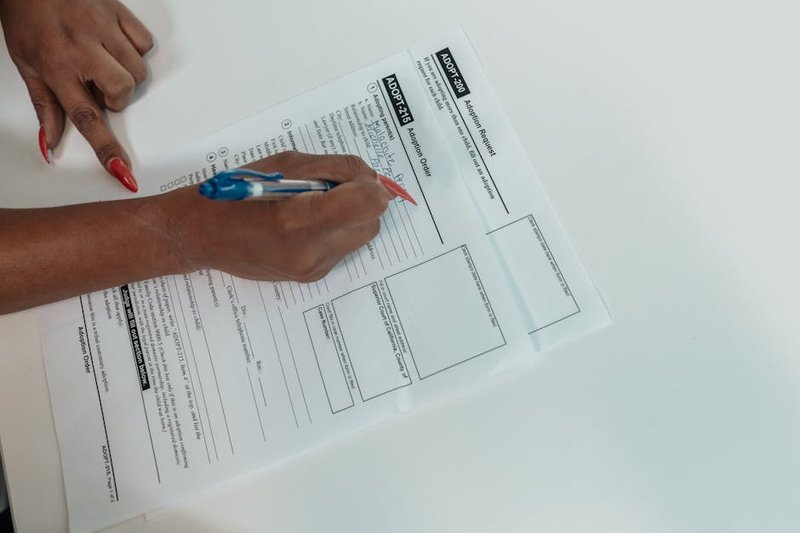
If your company still handles travel approvals through email threads, you know the pain: lost requests, unclear statuses, managers approving trips they shouldn’t. Build a workflow using Google Forms as the intake point. An employee fills out a form with destination, dates, budget, and purpose. The automation checks the budget against policy rules, routes the request to the correct manager (based on department and amount), and updates a shared tracker in Sheets. Once approved, it creates a calendar event for the trip and sends a confirmation email with the booking details. AppSheet can serve as the mobile-friendly interface for managers to approve on the go.
Pipeline Reporting: Your Weekly Update, Automated
Sales teams hate updating pipeline reports. Managers hate chasing them. Here’s a middle ground: a workflow that pulls deal data from your CRM into Google Sheets, enriches it with meeting notes from Google Calendar (auto-transcribed via Gemini), and generates a summary report every Monday morning. The agent highlights deals that have stalled, flags upcoming renewals, and calculates weighted pipeline value. Your team gets the report in their inbox before they’ve had coffee. No one has to touch a spreadsheet.
Educational Automation: Beyond Business
These patterns extend beyond corporate settings. Schools and training centers use similar workflows to automate student enrollment: a Google Form captures registrations, the agent checks prerequisites against a master sheet, sends welcome emails with course materials from Drive, and adds class schedules to each student’s Calendar. The same logic applies to any repetitive, multi-step process.
Why You Need a Partner to Build These
Here’s the honest truth: these workflows aren’t plug-and-play. Each one requires careful mapping of triggers, conditions, error handling, and edge cases. A lead enrichment agent that breaks when LinkedIn changes its page structure isn’t helpful. An invoice processor that misreads a PDF format wastes time instead of saving it.
That’s where FiveAgents IO comes in. We don’t just sell you a platform and disappear. We design, build, and maintain these workflows so they actually work—day after day, through platform updates and changing business rules. Globe Telecom, for example, reported saving 3-4 hours per employee weekly after implementing similar AI automation across their Google Workspace workflows. That’s the kind of result you get when someone handles the complexity for you.
The templates above are starting points. Your actual workflows will look different—they should, because your business is different. The question isn’t whether automation can help. It’s whether you want to build it yourself or have someone build it right.
Frequently Asked Questions About AI Workflow Automation Google Workspace
Those templates give you a solid foundation, but you probably still have specific questions about what’s actually possible inside Google Workspace. Let’s tackle the ten most common ones.
Gmail Automation Limits
Consumer Gmail accounts are capped at 500 sent emails per day, which kills most notification-based automation and outbound follow-up sequences. The Gmail API adds another layer: 15,000 quota units per user per minute, with different operations consuming different amounts. Read a simple message? One unit. Send one? Up to 100. There’s also a project-wide limit of 1,200,000 quota units per minute shared across all your app’s users. And as of May 1, 2026, Google updated these limits with plans to charge for exceeding quota requests later this year. You also can’t blast more than 500 recipients per email message. For high-volume needs, you’ll want to look at dedicated email platforms that integrate with Workspace rather than pushing Gmail’s API to its breaking point.
Sheets Data Flows
Google Sheets handles 2 billion users, so its automation capabilities are mature. Smart Fill uses Gemini to recognize patterns in your data and auto-complete columns — about 9x faster than manual entry. For programmatic flows, the Sheets API lets you read, write, and format cells in real time. Pair it with Make (formerly Integromat) to connect Sheets with 1,500+ apps, or use Zapier for simpler triggers. A common setup: new form submission writes to Sheets, which triggers an email or Slack notification.
Meet Transcription
Google Meet’s built-in AI transcription works through Gemini. It generates meeting notes, action items, and translated captions for 60+ languages. For more granular control, Tactiq runs as a Chrome extension, capturing real-time transcripts and syncing them to Google Docs or Notion automatically. No manual note-taking required.
Calendar Scheduling
Reclaim.ai analyzes your calendar patterns and auto-blocks focus time, breaks, and task slots around your existing meetings. Zapier handles the simpler stuff: when someone books via Calendly, create a Google Calendar event and send a confirmation email. The two tools cover different ends of the scheduling spectrum.
Forms Processing
Google Forms itself triggers basic workflows — email notifications on submission, data flowing into Sheets. For heavy lifting, AppSheet turns form responses into full database applications with approval chains. Zenphi specializes in document-heavy workflows, extracting data from uploaded PDFs and routing them through review processes.
Shared Drive Security
The Drive API gives you programmatic control over permissions, file moves, and audit logs. Automation tools can scan for publicly shared files, revoke external access after a set period, or move sensitive documents to restricted drives. Set it once, and it runs continuously without manual checks.
OAuth Setup
Third-party apps connecting to Google Workspace need OAuth 2.0 credentials. The steps: create a project in Google Cloud Console, enable the relevant APIs (Gmail, Drive, Sheets), configure the consent screen with your scopes, generate client ID and secret, then implement the authorization flow in your app. Most automation platforms like Zapier handle this behind the scenes — you just click “Connect Google Account.”
API Rate Limits and Best Practices
Beyond Gmail’s limits, each Google API has its own quota. Best practices: implement exponential backoff for retries, batch requests where possible (Gmail allows batching up to 50 calls), monitor usage via the Cloud Console dashboard, and request quota increases early if you anticipate growth. For a deeper look at how these limits affect your automation strategy, check out our comparison of AI workflow automation tools.
Mobile Apps
Google’s mobile apps (Gmail, Sheets, Drive, Meet) support basic automation triggers through shortcuts and integrations. You can set up “When I arrive at work” automations that send a Gmail template or log a Sheets entry. But the real power lives on desktop — mobile is best for approvals, quick data entry, and monitoring automated flows, not building them.
Enterprise vs Free
| Feature | Free (Consumer) | Enterprise (Workspace) |
| Gmail send limit | 500/day | 2,000+/day |
| Storage per user | 15GB | 30GB – 5TB |
| API access | Limited | Full with admin controls |
| Shared drive management | No | Yes, with audit logs |
| Meet transcription | No | Yes, with Gemini |
| AppSheet integration | No | Yes |
| Vault & eDiscovery | No | Yes |
The free tier works for personal automation experiments. Enterprise is where you build production workflows that touch multiple departments without hitting walls.

Conclusion: Transform Your Workflows with AI Automation
The questions you’ve been asking—about time savings, integration complexity, and real results—all point to the same conclusion. The tools are ready, and the path forward is clearer than it’s ever been.
The numbers tell the story. Globe Telecom’s 3-4 hours saved per employee weekly isn’t an outlier—it’s the benchmark for what’s possible when you stop treating manual workflows as inevitable. With three billion users worldwide, the infrastructure is there. What’s been missing is the bridge between what the platform can do and what your team actually needs.
That bridge now exists. Workspace Flows brought no-code AI automation directly into the tools you already use daily. Third-party platforms extend that capability further. The question isn’t whether automation works—it’s whether you’re ready to stop doing work that a machine can handle better.
Where FiveAgents IO fits
Setting up custom AI agents that integrate with your specific Google Workspace workflows doesn’t require a development team. It requires a partner who understands both the technology and your business context. That’s where we come in. We configure multiple AI agents for your organization—each handling distinct tasks, from email triage to document processing—so your team focuses on decisions that actually move the needle.
If you’re evaluating options, our comparison of the top AI workflow automation tools for 2026 covers what’s available and where each platform excels.
Your next move
Start with one workflow. One process that eats up hours each week. Automate it, measure the time saved, and scale from there. Integrate AI automation with Google Workspace free trial and see what your team can do when the busywork disappears.
The future of work isn’t about working harder. It’s about working smarter with tools that handle the repetitive so you can handle the meaningful.
About Petric Manurung
Petric Manurung is the Founder & CEO of FiveAgents IO, building AI agent systems and automation that help businesses eliminate manual work at scale. Before starting FiveAgents IO, he spent 20+ years inside global enterprises — Lufthansa Systems, Apple, Toll Group, CEVA Logistics — which gives him an unusually clear view of where human effort gets wasted and where AI agents can take over.
He holds an MBA from Western Michigan University and a HubSpot SEO Certification. His expertise spans AI agent architecture, workflow automation, and SEO optimization — all areas where he ships production systems, not just strategies.
Sources & References
This article incorporates information and insights from the following verified sources:
[1] Workspace Flows – TechBuzz AI (2025)
[2] three billion users worldwide – TechBuzz AI (2026)
[3] populate data 9x faster than manual entry – Quaid Technologies (2026)
[4] 15,000 quota units per user per minute – MailSweeper (2026)
[5] 500 sent emails per day – Nylas (2026)
[6] 500-recipient cap per email – Google for Developers (2026)
[7] over 2 billion people – MindStudio (2026)
[8] 3-4 hours per employee weekly – MindStudio (2026)
[9] Use Transcripts with Google Meet – Google Meet Help (2026)
[10] Google Meet AI Review 2026 – Summarize Meeting (2026)
[11] AI for Google Calendar: Reclaim.ai – Google Workspace Marketplace (2026)
[12] Reclaim – AI Calendar for Work & Life – Reclaim.ai (2026)
[13] Google Forms Automation – Zenphi – Zenphi (2025)
[14] Turn Google Sheets Into an Automation Hub – Zenphi (2025)
[15] Transition from less secure apps to OAuth – Google Workspace Admin Help (2025)
[16] Using OAuth 2.0 to Access Google APIs – Google for Developers (2026)
[17] Form Approvals: Workflow automation for Google Forms – Form Approvals (2025)
[18] Google Workspace pricing in Singapore – Medha Cloud (2024)
[19] Google Workspace vs Microsoft 365 Singapore (2026) – Digigen (2026)
[20] Compare Flexible Pricing Plan Options | Google Workspace – Google Workspace (2026)
[21] Google Workspace Pricing Singapore 2026 – Master Concept (2026)
[22] Google updates Workspace to make AI your new office intern – TechCrunch (2026)
[23] Internal: beginner’s guide to workflow automation AI agents – https://www.fiveagents.io/intelligence/workflow-automation-ai-agent-beginners
[24] Internal: how to build a workflow automation AI agent – https://www.fiveagents.io/intelligence/how-to-build-workflow-automation-ai-agent
[25] Internal: comparison of AI workflow automation tools – https://www.fiveagents.io/intelligence/ai-workflow-automation-tools-comparison-2026
[26] Internal: comparison of the best workflow automation AI agents – https://www.fiveagents.io/intelligence/best-workflow-automation-ai-agents-2026
[27] Internal: FiveAgents IO – https://getfivebucks.com
[28] Internal: our comparison of the top AI workflow automation tools for 2026 – https://www.fiveagents.io/intelligence/best-ai-workflow-automation-tools-2026
[29] Internal: Integrate AI automation with Google Workspace free trial – https://www.fiveagents.io/intelligence/best-ai-workflow-automation-platforms-2026
All external sources were accessed and verified at the time of publication. This content is provided for informational purposes and represents a synthesis of the referenced materials.
Put this into practice
We build the custom application and the AI agents inside it that take on the work behind articles like this. You see a demo first, then pay as each milestone is met.
Related Articles


Comments
Leave a comment
Your comment will be reviewed before it appears here.