
WhatsApp Business Automation: 7 Proven Steps for Solo Owners
 Petric Manurung·26 August 2026·17 min read
Table of Contents
Why WhatsApp Business Automation Matters in 2026
WhatsApp business automation means using software tools to handle customer conversations on the platform—things like instant replies, quick responses, and automated message sequences. For solo business owners, it’s the difference between answering the same questions ten times a day and letting a system handle the repetitive part while you focus on actual work.
The scale here is hard to overstate. WhatsApp reached 3.3 billion monthly active users in early 2026, with projections crossing 3.5 billion by year-end. In Singapore alone, the platform has over 4.5 million users with penetration exceeding 80 percent, making it the default channel for customer communication. If your business isn’t on WhatsApp, you’re simply not where your customers are.
The engagement numbers make the case even stronger. the platform has over 4.5 million users with penetration exceeding 80 percent, with click-through rates between 20 and 35 percent—numbers email marketing can only dream of. That’s why the free WhatsApp Business App, with its built-in quick replies and broadcast lists, remains the starting point for most small operations.
The catch? Manual replies don’t scale. That’s where workflow automation for solo business owners comes into play—setting up simple automations that respond instantly, qualify leads, and book appointments without you touching your phone. The tools are free, the setup is straightforward, and the payoff compounds with every conversation you don’t have to handle manually.
What Is WhatsApp Business Automation?
The distinction between WhatsApp’s free app and its enterprise platform is where most businesses get confused. WhatsApp Business automation simply means using software to handle messages, replies, and workflows on the platform—but the tools available depend entirely on which tier you choose.
The WhatsApp Business App is free and works well for solo operators. It offers basic features like quick replies and business profiles, but the limitations surface quickly. Broadcast lists cap at 256 contacts, and the app does not support automation or CRM integration. For a growing business, manually managing conversations beyond that threshold becomes unsustainable.
The WhatsApp Business Platform—formerly the API—solves those constraints. It enables unlimited broadcasts, multi-agent access, and full CRM integration. Meta’s Cloud API now handles the technical hosting, removing the need for on-premise servers. The trade-off is cost: subscription fees range from $50 to $500 per month depending on the Business Solution Provider and included services.
| Capability | Business App | Business Platform (API) |
| Cost | Free | $50–$500/month |
| Broadcast limit | 256 contacts | Unlimited |
| Automation | Basic quick replies | Full workflow automation |
| CRM integration | No | Yes |
| Multi-agent access | No | Yes |
For solo business owners, the free app handles early-stage needs. The moment you’re juggling hundreds of conversations weekly, the API’s automation capabilities justify the monthly fee. The decision comes down to volume—and knowing when to make the switch.
WhatsApp Business App vs WhatsApp Business Platform (API)
The free WhatsApp Business App handles the basics well, but its ceiling is low. Broadcast lists cap at 256 contacts, and there’s no automation or CRM integration built in—does not support automation or CRM integration. For a solo founder testing the waters, that’s fine. For anyone processing hundreds of daily inquiries, it’s a bottleneck.
The WhatsApp Business Platform (API) removes those constraints entirely. Unlimited broadcasts, multi-agent access, advanced automation workflows, and native CRM syncing all come standard. The trade-off is cost: subscription fees range from $50 to $500 per month, depending on the BSP and services bundled in. On top of that, Meta charges per-conversation fees—typically a few cents per message within a 24-hour window, with higher rates for utility or authentication templates.
| Capability | Business App | Business Platform (API) |
| Monthly cost | Free | $50–$500 + per-conversation fees |
| Broadcast limit | 256 contacts | Unlimited |
| Automation | Basic quick replies | Full chatbot workflows |
| CRM integration | None | Native integrations |
| Multi-agent access | Single device | Team-wide |
So when should you upgrade? The rule of thumb: if you’re manually copying customer details into a spreadsheet or losing messages in the app’s clutter, you’ve outgrown it. The API pays for itself when automation saves more hours than the subscription costs. For solo operators still finding their footing, the free app paired with practical workflow automation strategies is often enough to start—just know the upgrade path exists before you need it.
Is WhatsApp Automation Worth It for Small Businesses?
The technical differences matter, but the real question is whether the payoff justifies the setup. The numbers make a compelling case. WhatsApp reached 3.3 billion monthly active users in early 2026 from WhatsApp marketing compared to traditional channels. Automax, a business using WhatsApp broadcasts, achieved a 42.5x return on investment in a single month. Even accounting for the fact that early adopters often see outsized gains, those figures dwarf what most small businesses get from email or paid social.
The efficiency argument is equally strong. WhatsApp conversion rates land between 45-60% depending on funnel stage and vertical, versus the 2-5% benchmark for email. For a solo owner juggling operations, marketing, and customer service, that difference translates directly into hours saved—fewer follow-ups, fewer lost leads, fewer manual responses.
The common hesitation is cost and complexity. But the free WhatsApp Business App covers most needs for a solo operation: automated greetings, quick replies, catalog sharing, and broadcast lists. The API route only becomes necessary at scale, and even then, per-conversation pricing is manageable for businesses generating real revenue from chat.
For owners still weighing the effort, the practical approach is to start with a simple automation workflow and measure results over 30 days. The data suggests the ROI will speak for itself.

Top WhatsApp Business Automation Use Cases and Examples
The numbers make the case for automation compelling, but real-world applications show how it actually plays out. Across industries, the same patterns emerge: businesses using WhatsApp to handle conversations that would otherwise clog inboxes and phone lines.
Customer support is the most obvious starting point. Indian D2C brands report a 200-300% ROI lift from WhatsApp marketing compared to traditional channels—and much of that comes from simply being where customers already are. Singapore, with 4.5 million WhatsApp users and over 80% penetration, offers a similar opportunity, though businesses must navigate PDPA consent requirements carefully.
Order updates and appointment reminders follow a similar logic. Clinics use automated messages to cut no-show rates; e-commerce stores send delivery confirmations that reduce “where’s my order?” queries. Zostel, the Indian hospitality chain, uses WhatsApp broadcasts to drive direct bookings, bypassing OTA commissions entirely.
The key constraint is WhatsApp’s 24-hour messaging window: businesses can only initiate conversations within 24 hours of a customer’s last message. This forces a follow-up strategy—automated responses must be triggered by customer actions, not the other way around. Done right, the payoff is substantial. Automax achieved a achieved a 42.5x return on investment in a single month, and conversion rates land between 45-60% are common across funnel stages, versus email’s 2-5% benchmark.
For solo business owners, the free WhatsApp Business App handles these use cases without API complexity. Setting up quick replies and away messages covers most scenarios. Those ready to scale can explore how AI workflow automation platforms handle these patterns at volume.
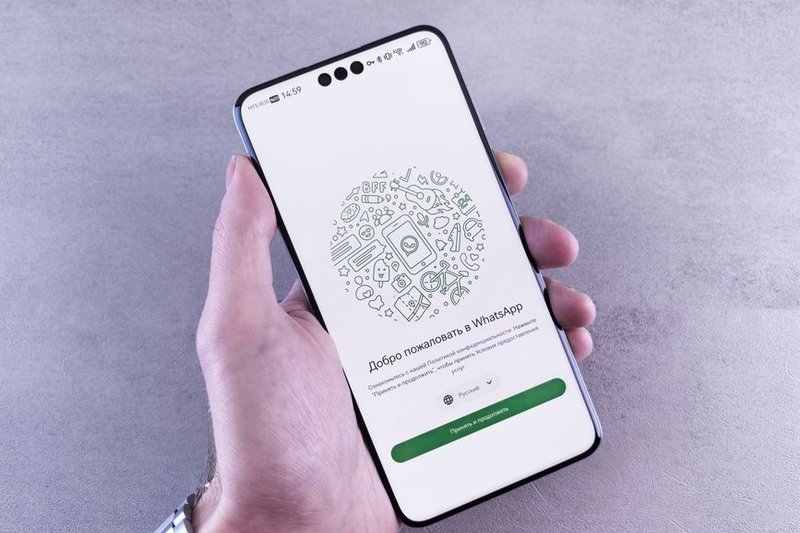
How to Set Up WhatsApp Business Automation in 7 Steps
The WhatsApp Business App is free, but it comes with real constraints. Broadcast lists cap at 256 contacts, and the app does not support automation or CRM integration. For a solo owner just starting out, that’s fine—the built-in tools handle the basics without needing a developer.
Step 1: Complete your business profile. Add your logo, hours, address, and a clear description. Customers who land on your chat should immediately know who they’re talking to.
Step 2: Set up quick replies. These are saved message templates for FAQs—pricing, delivery times, return policies. Type “/price” and the full response inserts instantly. Pair this with away messages so customers get an immediate response outside business hours.
Step 3: Build your catalog. Upload product photos, prices, and descriptions directly in the app. Add an automated greeting message that appears when someone opens your chat for the first time.
Step 4: Use labels. Organize conversations by status—”new lead,” “awaiting payment,” “repeat customer”—so follow-ups don’t slip through the cracks.
Step 5: Know when to upgrade. When you hit the 256-contact broadcast limit or need multi-agent access, the WhatsApp Business Platform (API) is the next step. Subscription fees range from $50 to $500 per month depending on the Business Solution Provider and included services. For a deeper look at scaling automation beyond WhatsApp, this guide on implementing workflow automation platforms covers the transition.
Start with the free app, master the basics, and upgrade only when volume demands it.
Best WhatsApp Automation Tools for Small Businesses and Agencies
Once the setup is handled, the real question becomes which tool to use. For solo owners, the free WhatsApp Business App covers the basics. But if you’re running an agency or juggling multiple client accounts, a Business Solution Provider (BSP) becomes necessary. These are Meta-approved partners that handle API integration, provide automation interfaces, and offer support—removing the technical heavy lifting.
The market offers several strong options, each with a slightly different focus:
| Tool | Best For | Standout Feature |
| WATI | SMBs | No-code automation and shared inbox |
| SleekFlow | Omnichannel teams | CRM integration, backed by Alibaba Entrepreneurs Fund |
| Respond.io | Multi-channel support | Advanced automation across platforms |
| AiSensy | Indian market focus | Chatbot automation and broadcast tools |
| Twilio | Developers | SDKs and full API control |
| Interakt | High-volume senders | Flexible workflows and integrations |
| ManyChat | Creators & e-commerce | Works across WhatsApp, Messenger, Instagram |
Pricing varies significantly. WhatsApp Business API subscription fees range from $50 to $500 per month depending on the BSP and services included—so budget matters as much as features.
For a solo owner, starting with a simpler platform like WATI or ManyChat makes sense. Agencies handling multiple clients may prefer SleekFlow or Respond.io for their broader conversation management. Before committing, consider your workflow automation needs and expected ROI—the right tool should pay for itself through saved hours, not add another subscription to track.
Compliance, Limits, and How to Avoid Bans
Choosing the right tool is only half the battle. The other half is staying on the right side of Meta’s rules. WhatsApp aggressively bans numbers that violate its terms, and for a solo business owner, losing your primary line of communication with customers is a critical setback.
Meta’s policies are clear: the free WhatsApp Business App is designed for manual, one-to-one conversations. Bulk messaging, auto-replies that mimic human interaction without user prompts, and using unauthorized third-party tools to send broadcasts are all violations that trigger bans. The safest path is to use the official API, which is built for automation and marketing campaigns. In Singapore, marketing conversations cost roughly USD 0.09–0.13 per conversation, making the API an affordable, compliant upgrade when you outgrow the free app.
Compliance also extends to local law. The Personal Data Protection Act (PDPA) requires businesses to obtain explicit consent before sending marketing messages. This means your opt-in must be documented, and you must provide a clear opt-out mechanism in every broadcast. ACRA-registered businesses typically need to verify their UEN with Meta to access the full API suite.
To keep your account safe: always get opt-in, never buy contact lists, and avoid blasting the same message to hundreds of users at once. For a deeper look at automating these guardrails, this guide on AI-driven workflow automation covers how to build compliance checks into your system. The rule of thumb is simple: if it feels like spam, it is spam—and WhatsApp will treat it that way.
How Much Does WhatsApp Business Automation Cost?
The cost question has a simple answer at first glance: the WhatsApp Business App is free. But that free tier caps broadcast lists at 256 contacts and offers no automation or CRM integration—limitations that quickly become a bottleneck for any business with real growth ambitions. Solo owners testing the waters can start there, but the ceiling arrives fast.
Stepping up to the WhatsApp Business Platform changes the math. Subscription fees from Business Solution Providers range from $50 to $500 per month, depending on the BSP and included services. On top of that, Meta charges per-conversation fees—in Singapore, marketing conversations run approximately USD 0.09–0.13 each as of 2026. For a business sending 5,000 marketing messages monthly, that’s roughly $450–$650 in conversation fees alone.
| Cost Component | Amount | Notes |
| WhatsApp Business App | $0 | 256-contact broadcast limit, no automation |
| BSP subscription | $50–$500/month | Varies by provider and features |
| Marketing conversation (SG) | $0.09–0.13 | Per conversation, set by Meta |
Tool subscriptions add another layer. Automation platforms that handle replies, routing, and follow-ups typically charge $30–$200 monthly, though the return on investment from AI workflow automation often justifies the spend—automated responses cut response times from hours to seconds, which directly impacts conversion rates.
For Singapore businesses weighing the trade-off, the real question isn’t whether automation costs money—it’s whether the manual labour it replaces costs more.
Measuring ROI: From Conversations to Revenue
The cost side of the equation is only half the story. To know whether WhatsApp automation actually pays off, solo business owners need to track what happens after the messages go out. The good news: the metrics that matter are straightforward, and the benchmarks are unusually favorable.
Start with the basics. Open rate tells you how many people actually saw your message. Click-through rate measures how many took the next step. Conversion rate tracks how many completed a purchase or booking. Response time—how quickly your automation replies—directly impacts customer experience and can be a differentiator in itself.
Here’s where WhatsApp shines. Open rates sit between 93 and 98 percent across every vertical and list quality, compared to email’s 21.33 percent. Conversion rates measure between 45 and 60 percent depending on funnel stage and vertical, versus email’s typical 2-5 percent. Those numbers change the ROI math dramatically.
Consider a simple example. An automated WhatsApp flow that costs $50 per month and generates just five additional $30 sales per month delivers $150 in revenue—a 200 percent return before accounting for time saved. That’s the kind of calculation that justifies the setup effort.
The key is regular monitoring. Review your metrics weekly, test different message timings and offers, and refine what underperforms. For a deeper look at measuring automation value, this guide to ROI in AI workflow automation platforms breaks down the framework further.

Frequently Asked Questions
The ROI numbers tell the story, but they also raise practical questions. Here are the answers business owners most often ask when setting up WhatsApp automation.
How much does WhatsApp automation cost?
For solo business owners, the free WhatsApp Business App covers most needs—automated greetings, quick replies, and away messages. No API, no monthly fees, no developer required. The paid tier only becomes relevant when you need multi-agent team inboxes or advanced analytics, which typically starts around $20 per user per month.
Is automated messaging compliant with WhatsApp’s rules?
Yes, provided you follow two rules: messages must be initiated by the customer (or within the 24-hour customer service window), and content must not be spam. Businesses that respect opt-in preferences and keep messages relevant rarely face restrictions. For a deeper look at avoiding common pitfalls, see this guide to troubleshooting AI workflow automation.
How long does setup take?
A basic setup—catalog upload, greeting messages, and quick replies—takes under an hour using the free app. Most solo owners complete it in one sitting.
Can automation replace human responses entirely?
Not completely, and it shouldn’t. The best approach uses automation for the first response layer—acknowledgment, FAQs, booking links—while routing complex inquiries to you directly. WhatsApp’s labeling system makes this handoff seamless.
What’s the fastest way to start?
Begin with one automated greeting and one quick reply for your most common question. Measure response times and customer follow-through over two weeks, then expand. Small, measurable steps beat ambitious overhauls.
Final Thoughts: Start Automating Today
The answers above make one thing clear: WhatsApp automation isn’t reserved for enterprises with dedicated IT teams. The free WhatsApp Business App already gives solo business owners the tools to handle the repetitive parts of customer communication—quick replies, away messages, and automated greetings—without touching the API or writing a single line of code.
Starting small is the smartest approach. Pick one repetitive task that eats up your time each week—answering the same delivery question, sending the same price list, or following up on quotes—and automate that single flow first. Once you see the time savings, the next step becomes obvious. For those ready to scale beyond the free app’s limits, consulting a Business Solution Provider or exploring AI-driven workflow automation options can unlock deeper integrations and smarter routing.
The pattern is consistent across every business size: the businesses that automate their WhatsApp workflows respond faster, close more conversations, and free up hours they previously spent typing the same responses on repeat. Those advantages compound weekly.
The tools are free. The setup takes an afternoon. The payoff starts with your very next customer message. Set up one automated reply today, and let the results speak for themselves.
About Petric Manurung
Petric Manurung is the Founder & CEO of FiveAgents IO, building AI agent systems and automation that help businesses eliminate manual work at scale. Before starting FiveAgents IO, he spent 20+ years inside global enterprises — Lufthansa Systems, Apple, Toll Group, CEVA Logistics — which gives him an unusually clear view of where human effort gets wasted and where AI agents can take over.
He holds an MBA from Western Michigan University and a HubSpot SEO Certification. His expertise spans AI agent architecture, workflow automation, and SEO optimization — all areas where he ships production systems, not just strategies.
Sources & References
This article incorporates information and insights from the following verified sources:
[1] WhatsApp reached 3.3 billion monthly active users in early 2026 – AiSensy (2026)
[2] the platform has over 4.5 million users with penetration exceeding 80 percent – Marketing Agency (2026)
[3] Open rates sit between 93 and 98 percent – Kanal (2026)
[4] WhatsApp Marketing ROI and Metrics for Business Analytics – SleekFlow (2026)
[5] conversion rates land between 45-60% – EchoLeads (2026)
[6] achieved a 42.5x return on investment in a single month – Respond.io (2026)
[7] does not support automation or CRM integration – Monty Mobile (2026)
[8] subscription fees range from $50 to $500 per month – Respond.io (2026)
[9] marketing conversations cost roughly USD 0.09–0.13 per conversation – Digital Perpetual (2026)
[10] Service messages – Meta for Developers – Meta for Developers (2026)
[11] WhatsApp 2026 AI policy: Chatbot compliance guide – Alibaba Cloud (2026)
[12] Not All Chatbots Are Banned: WhatsApp's 2026 AI Policy Explained – Respond.io (2025)
[13] WhatsApp Business App vs Platform: Key Differences – Infobip (2026)
[14] WhatsApp Business vs. WhatsApp: The Differences Explained – Sinch (2026)
[15] WhatsApp Business API Singapore: The Complete 2026 Guide – DoubleAM (2026)
[16] The Ultimate Guide to WhatsApp Marketing Statistics (2026) – Jesty CRM (2026)
[17] The Proven WhatsApp ROI Framework – WebMaxy (2026)
[18] WhatsApp Business API Automation for Singapore SMEs – Lynqra (2026)
[19] WhatsApp Marketing ROI Calculator – Whautomate (2026)
[20] Wati vs SleekFlow: Features, Pricing & AI Compared – WATI (2026)
[21] WhatsApp Business API Pricing in 2026 – Blueticks (2026)
[22] Is WhatsApp HIPAA Compliant? – HIPAA Guide (2025)
[23] PDPA-Compliant Patient Reminders: A Practical Guide for Singapore Clinic Owners – Aureta Health (2026)
[24] WATI VS SleekFlow.io – compare differences & reviews – SaaSHub (2026)
[25] Internal: workflow automation for solo business owners – https://www.fiveagents.io/intelligence/workflow-automation-ai-agent-beginners
[26] Internal: WhatsApp Business App – https://www.fiveagents.io/intelligence/roi-ai-workflow-automation-platforms
[27] Internal: practical workflow automation strategies – https://www.fiveagents.io/intelligence/ai-workflow-automation-google-guide
[28] Internal: guide on implementing workflow automation platforms – https://www.fiveagents.io/intelligence/implement-ai-workflow-automation-platform
[29] Internal: guide on AI-driven workflow automation – https://www.fiveagents.io/intelligence/ai-driven-workflow-automation-guide
[30] Internal: guide to troubleshooting AI workflow automation – https://www.fiveagents.io/intelligence/troubleshoot-ai-workflow-automation-google
All external sources were accessed and verified at the time of publication. This content is provided for informational purposes and represents a synthesis of the referenced materials.
Put this into practice
We build the custom application and the AI agents inside it that take on the work behind articles like this. You see a demo first, then pay as each milestone is met.
Related Articles


Comments
Leave a comment
Your comment will be reviewed before it appears here.